
Dhikr Ring
Setup guide
Install the Prayer Times app, then follow these steps to pair your ring. It takes about a minute.
Already have the app? The button above opens it on the Ring screen.
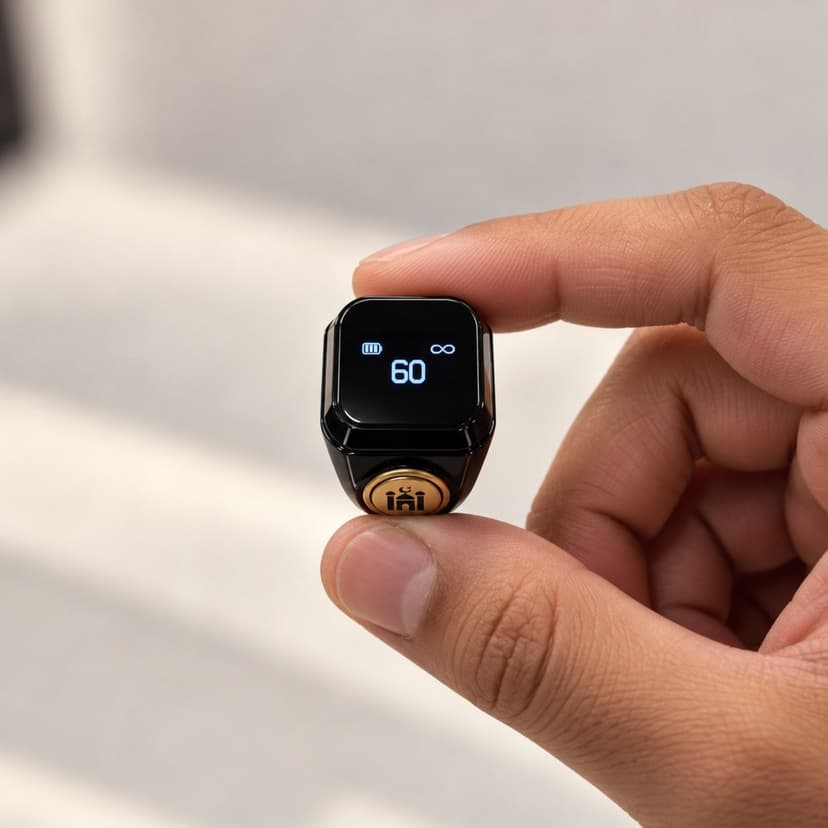
Setting it up
- 1
Install the Prayer Times app
- The ring is set up from the free Prayer Times app on your phone.
- Install it from the App Store (iPhone) or Google Play (Android) with the buttons at the top of this page.
- 2
Open the Ring screen
- Open the app and tap the Worship tab at the bottom.
- Tap the three-line menu icon at the top right to open the sidebar.
- Tap Ring.
- Already have the app? Scan the QR code on the box again, or tap "Open ring setup in the app" above, and the app opens on this screen.
- 3
Get the ring ready
- Switch the ring on: hold its button down until the mosque logo appears, then let go.
- Keep the ring within 1 metre of your phone.
- Make sure Bluetooth is turned on on your phone.
- Tap "Start Searching". If your phone asks for Bluetooth access (on some Android phones, Location too), tap Allow.
- 4
Connect
- The app looks for nearby rings. When it says "Found 1 Device Nearby", tap "Connect Ring", then Connect.
- Keep the ring close and leave Bluetooth on while it connects.
- When you see "Alhamdulillah! Connected", tap "Go to Counter". Setup is finished.
Using your ring
Single click
Counts one, the same as tapping the screen. It adds to whichever tasbih is active in the app's Tasbeeh screen.
Hold the button down
The ring vibrates and resets its own counter to 0. The count in the app is not touched. To bring both back to 0 together, use Reset in the app.
In the background
Taps keep counting with your phone locked or the app closed, as long as the ring is within Bluetooth range.
The app shows the same guide, with a demo video. On the Ring screen, tap "How to use your ring".
Ring settings
Once the ring is paired, these settings appear on the Ring screen in the app:
- Find ring: Makes the ring vibrate so you can find it.
- Rotate display: Flips the screen if you wear the ring on your other hand.
- Screen-off time: How long the ring's screen stays on after a tap.
- Prayer reminders: Makes the ring vibrate at each prayer time.
Troubleshooting
The app can't find my ring.
Check that the ring is switched on (hold the button down until the mosque logo appears), that it's within 1 metre of your phone, and that Bluetooth is on. If the ring's battery is low, charge it and try again. Then tap "Scan Again".
The app says Bluetooth access is needed.
Prayer Times needs Bluetooth access to find the ring. Tap "Open Settings" in the message, turn Bluetooth on for Prayer Times (on some Android phones, Location too), then go back to the app and tap "Start Searching".
The Ring screen says "Reconnecting…".
The ring is out of range or asleep. Bring it close to your phone and press its button once. Opening the Tasbeeh screen also tries to reconnect it.
The number on the ring doesn't match the app.
That's expected. Holding the ring's button resets only the ring's own counter. Use Reset in the app to bring both back to 0 together.
I have a new ring and want to replace my old one.
Open the Ring screen and tap "Pair a different ring". Turn off the old ring, switch on the new one, and follow the steps.
Still stuck? Email support@prayertimes.dev. Returns are covered by our returns policy.
Know someone who'd like one?
The Dhikr Ring makes a thoughtful gift. Order another ring.